AGSP SCRAPER

Artwork for your Atari Gamestation Pro ROMs.

Latest release: loading…

Screenshots

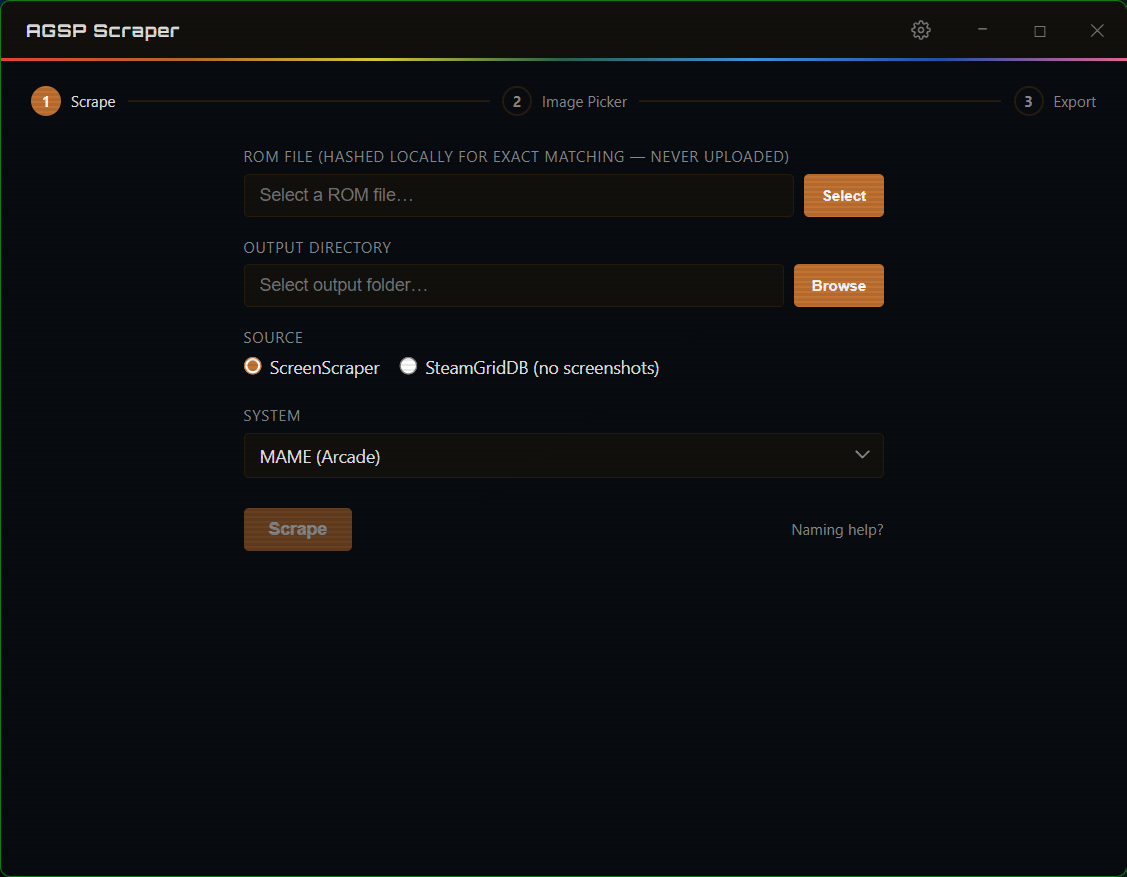
Scrape view — select a ROM file, output folder, and art source

01Select your ROM file, output folder, and art source — then hit Scrape
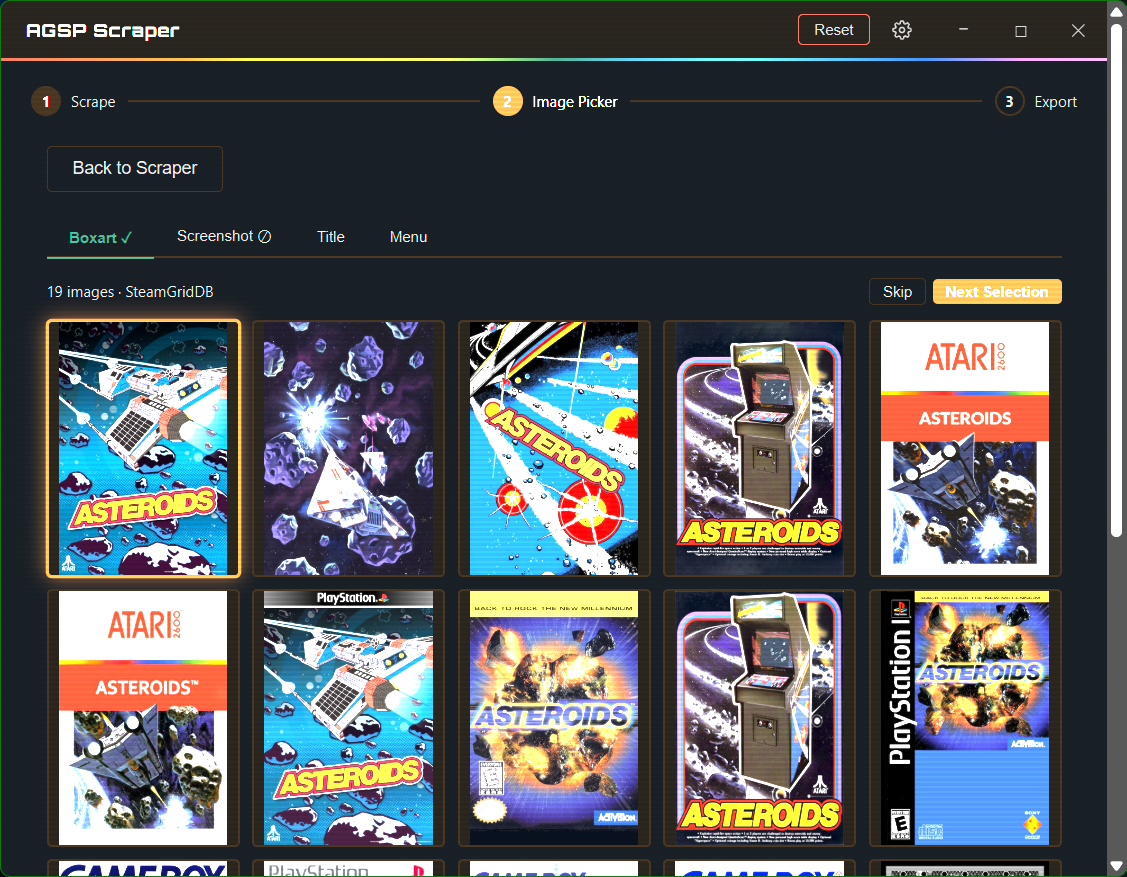
Image picker — browse boxart, screenshots, title, and menu art candidates

02Browse multiple candidates per art type and pick the one you want
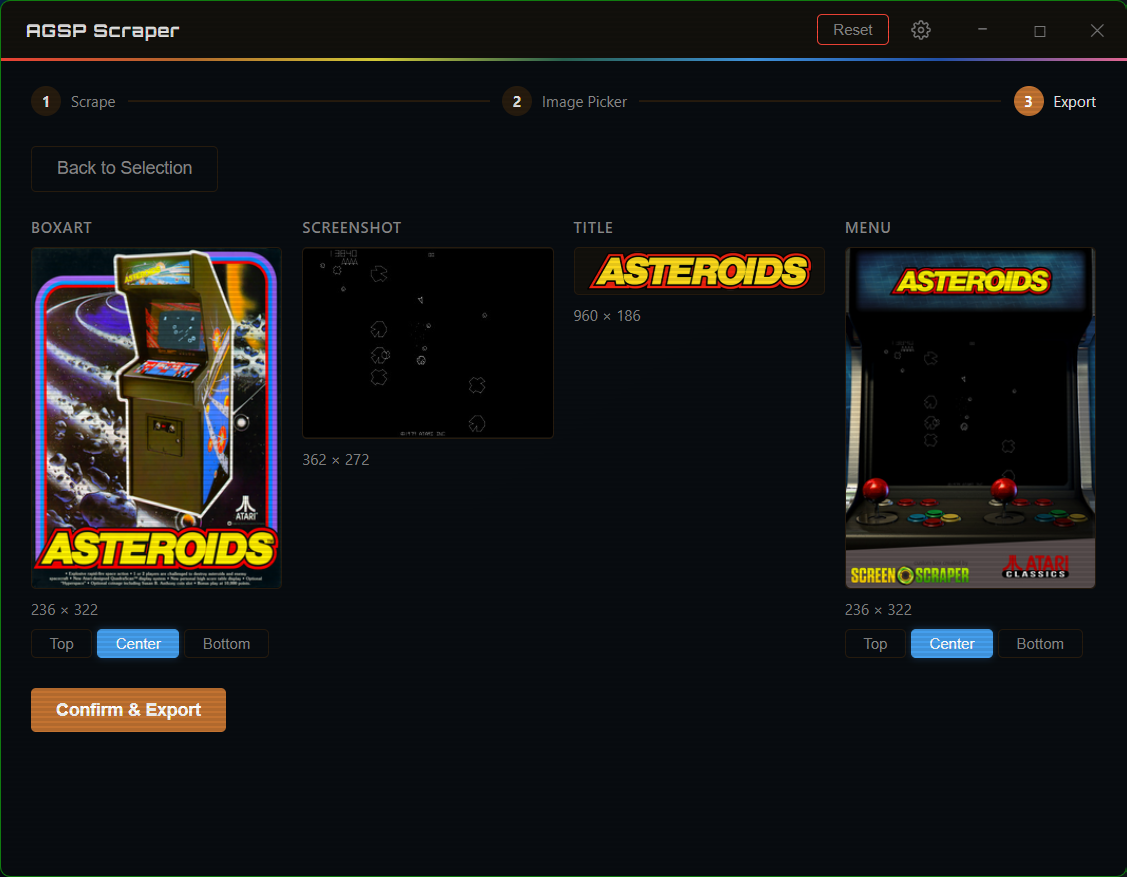
Export view — preview all four processed images before saving

03Preview the processed output across all four art types, then export

What is AGSP Scraper?

AGSP Scraper fetches boxart, screenshots, title screens, and menu art for your AGSP ROMs and automatically renames & resizes them to the exact pixel dimensions the Atari Gamestation Pro expects.

It searches ScreenScraper and SteamGridDB , lets you choose from multiple candidates for each art type, and writes the finished images directly to your output folder.

No telemetry, all FOSS.

Windows 10 / 11 only

Features

  • Searches ScreenScraper and SteamGridDB for boxart, screenshots, title screens, and menu art
  • Side-by-side image picker with multiple candidates per art type
  • Auto-resizes and crops to AGSP-compatible formats (236×322 boxart, 362×278 screenshots, etc.)
  • Preview before export — see exactly what will be written to disk
  • Credentials encrypted with Windows DPAPI — nothing ever leaves your machine
  • Portable .exe — no installer, no admin rights, just download and run

How to Use

  1. 1
    Download and run the .exe No installer needed — double-click to launch.
  2. 2
    Enter your credentials in Settings Add your free ScreenScraper account and/or a SteamGridDB API key.
  3. 3
    Select your ROM file and output folder The ROM filename becomes the output filename — no manual renaming required.
  4. 4
    Browse and pick artwork Use the four-tab image picker (Boxart, Screenshot, Title, Menu) to choose from multiple candidates.
  5. 5
    Confirm and save Preview the processed images, then hit Confirm — files are written directly to your output folder.

Download

Free and open source.

Download Latest

Requires Windows 10 or 11 (64-bit)
WebView2 runtime — usually pre-installed on Windows 10/11.
If the app doesn't open, install it from Microsoft's site.

View all releases on GitHub →

FAQ

Do I need an account?

A free ScreenScraper account and SteamGridDB API key is needed to scrape.

What ROMs does it support?

AGSP Scraper is built to support the common ROMs supported by AGSP. The output filenames and image dimensions are tuned for the AGSP's art folder conventions. If you'd like to support more ROMs, contribute to the repo!

Does it work on Mac or Linux?

Windows only for now. The credential encryption relies on Windows DPAPI, and the Gamestation Pro is a Windows-adjacent device workflow. A cross-platform build isn't currently planned, but feel free to contribute.

Is it safe to use?

Yes. AGSP Scraper is open source (GPLv3), so you can read every line. Credentials are stored locally using Windows DPAPI — they never leave your machine. There is no telemetry, no analytics, and no account required to use the app itself.

The art doesn't look right — can I pick a different image?

Absolutely. The image picker shows multiple candidates for each art type (boxart, screenshot, title, and menu). If the first result isn't what you want, just click another thumbnail. You can also adjust the crop position (top, center, or bottom) for boxart and menu art. If there's still a problem, file an issue on GitHub.

Will it overwrite existing art files?

AGSP Scraper checks for existing files before exporting. If any output file already exists in the selected folder, it will warn you and ask for confirmation before overwriting.

Did you use AI?

Like I do in my day job (and really most devs these days), I used it to help me code, but I did not "vibe code" this project. I'm new to Rust & Tauri, so any and all feedback or suggestions are welcome via GitHub.

Disclaimer

AGSP Scraper does not provide, host, or endorse ROM files of any kind. It is not affiliated with MyArcade, Atari, ScreenScraper.fr, or SteamGridDB. It was built by a fan who wanted retro gaming to be more fun and accessible. Obtaining and using ROMs is entirely the user's own responsibility.

I did my best to focus on security, but like all open-source products I recommend reading through the code before using. I am always around for questions via GitHub.